Denoising 3D
1 개요
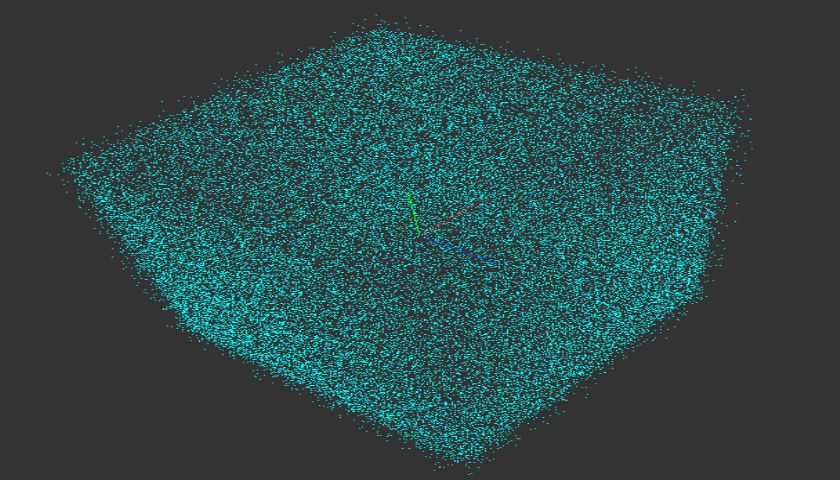
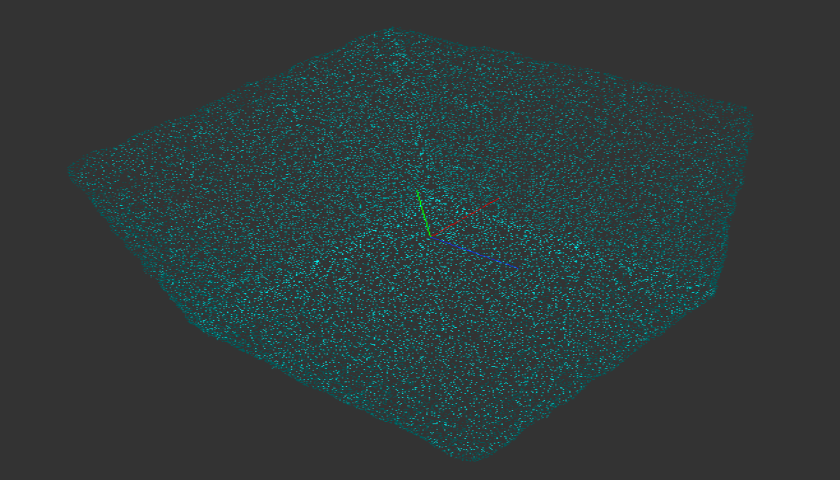
포인트 클라우드 Denoising 알고리즘입니다. MLS(Moving Least Square)기반 알고리즘인 Smoothing3D와 Edge와 같은 Sharp Feature의 유지 측면에서 결과 차이가 있습니다.
2 알고리즘 상세 설명
| Noisy Object | Smoothing Result | Denoising Result |
|---|---|---|
 |
 |
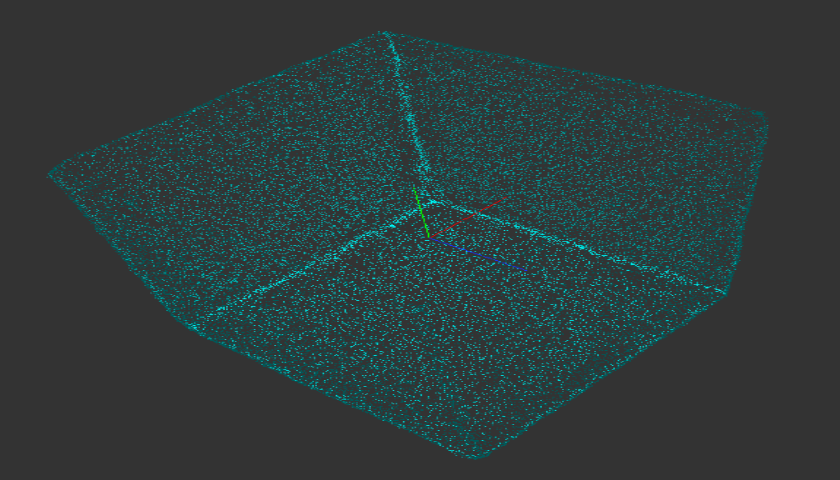 |
Fig. 노이즈 3D 데이터, Smoothing 3D 결과, Denoising 3D 결과
3 파라미터 설정
SetNormalVectorDistanceThreshold(float f32Threshold)- 이웃 법선 벡터와 거리 상한을 설정합니다.
- 평활화 동작에 사용되며, 값이 작아질 수록 굴곡을 허용하지 않습니다.
- 동일한 표면위에 있는 두 점의 법선 벡터 거리는 0에 가깝습니다.
-
SetSpatialDistanceThreshold(float f32Threshold)- 거리 임계 값을 설정합니다.
- 값이 커질 수록 과도한 평활화가 발생할 수 있습니다.
- Sigma_R = f32Threshold
EnableAutoSpatialDistanceThresholdCalculation(false)설정 시 사용됩니다.- Default Value : 1
-
SetSpatialDistanceThresholdCoefficient(float f32Coefficient)- Sigma_R = 점 집합의 평균 거리 * f32Coefficient
EnableAutoSpatialDistanceThresholdCalculation(true)설정 시 사용됩니다.- Default Value : 3
- Sigma_R = 점 집합의 평균 거리 * f32Coefficient
-
SetLambda(float f32Threshold)- [1, :] = 원본 위치에 큰 가중치 적용
- [0.1, 1) = 원본 위치와 주변 점 간 적절한 균형, 일반적으로 많이 사용
- [0.001, 0.1) = 노이즈가 많거나 세밀한 구조 복원에 유리하지만 과도한 변형 가능성 높음
- Default Value : 0.1
-
SetNeighborCount(int32_t i32Count)- 탐색할 이웃 점들의 개수를 설정합니다.
- Default Value : 40
- Recommended Value : 10, 20, 40, 60, 80, 100
-
SetViewPoint(TPoint3<float> tp3ViewPoint)- 법선 벡터 방향을 보정하기 위한 시점을 설정합니다.
- tp3ViewPoint : 시점 위치
- Default Value : (0, 0, 1)
- Recommended Value : (0, 0, 1), (0, 1, 0), (1, 0, 0)
-
EnableNormalVectorInclusion(bool bNormal)- 법선 벡터를 결과에 포함할지 여부를 설정합니다.
- true : 법선 벡터를 포함합니다.
- false : 법선 벡터를 포함하지 않습니다. 원본에 법선 벡터가 있어도 초기화 됩니다.
- Default Value : true
4 예제 코드
CDenoising3D denoising3D;

CFL3DObject floSource;
CFL3DObject floDestination;

denoising3D.SetSourceObject(floSource);
denoising3D.SetDestinationObject(floDestination);

// 노이즈가 일반적인 경우
denoising3D.SetLambda(0.1f);

// 노이즈가 거의 없는 경우
denoising3D.SetLambda(1);

// 노이즈가 심한 경우
denoising3D.SetLambda(0.05f);

denoising3D.Execute();