COCOLabelParser DL
1 개요
- COCO Label Parser DL은 COCO Data 의 json 파일에서 필요한 라벨 형식을 받아와 Figure 로 변환하는 알고리즘입니다. 이 알고리즘을 통해 COCO Data 를 FLImaging® 의 Detection 이나 Segmentation 모델 학습용 데이터셋으로 변환할 수 있습니다.
- Source 이미지로 flif, jpg, png 등등 다양한 포맷을 지원합니다.
- Image Figure 로 변환 및 Class 번호, 이름으로 라벨링됩니다.
- 단일 파일로 저장할지 이미지마다 각각의 파일로 저장할지 설정 가능합니다.
- Boundary Rectangle 또는 Segmentation 영역으로 Label Shape 를 설정할 수 있습니다.
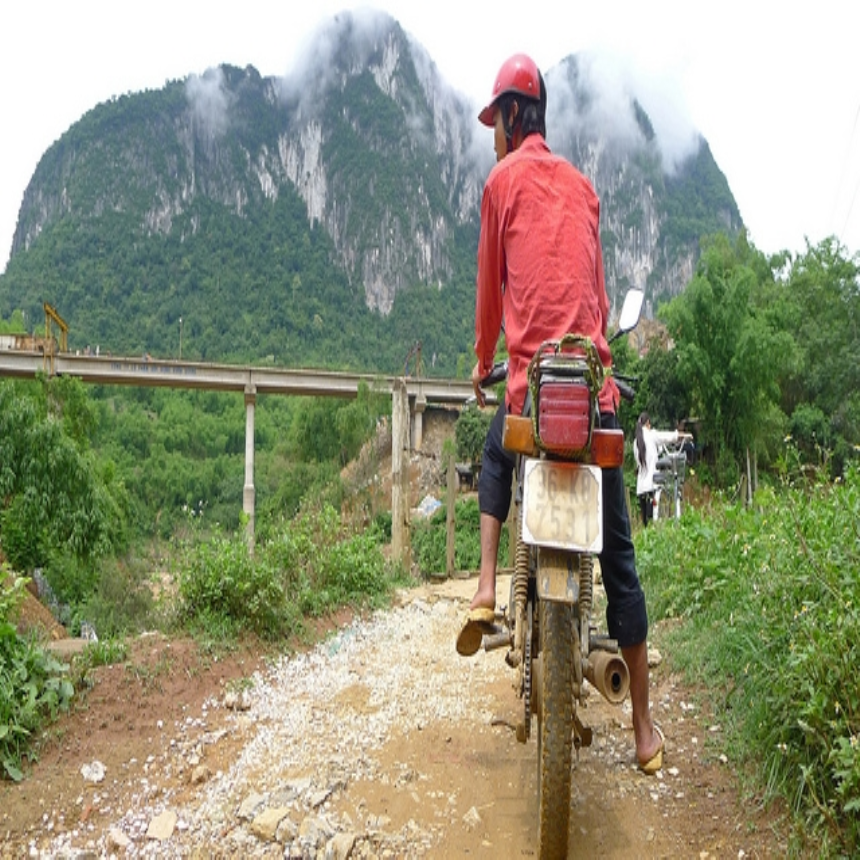
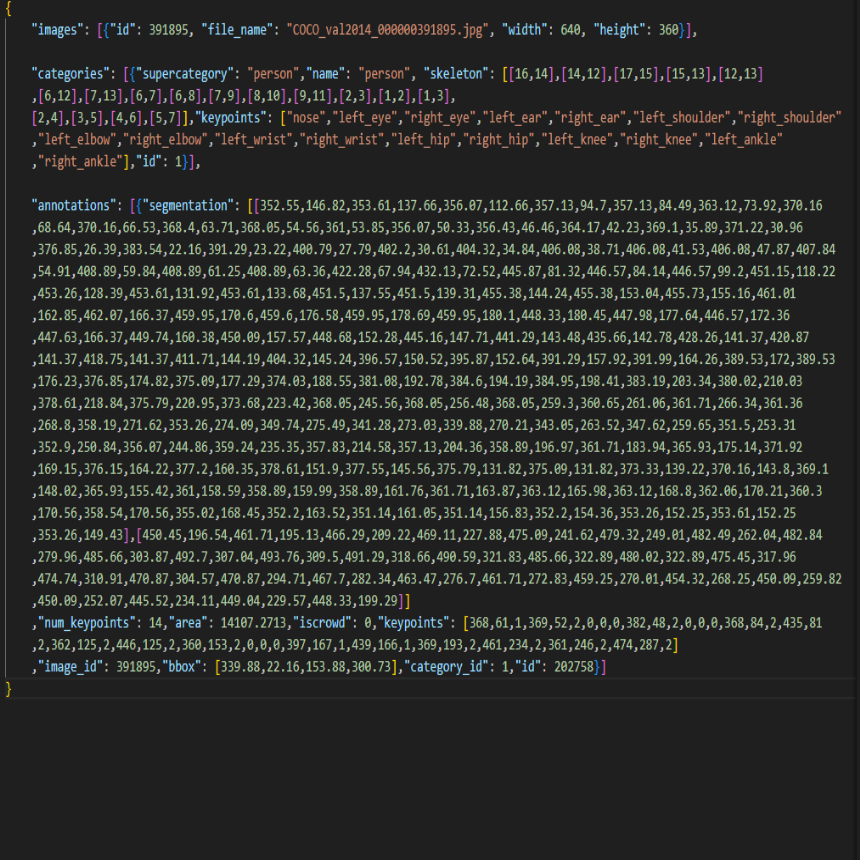
| Source | Annotation | Result |
|---|---|---|
 |
 |
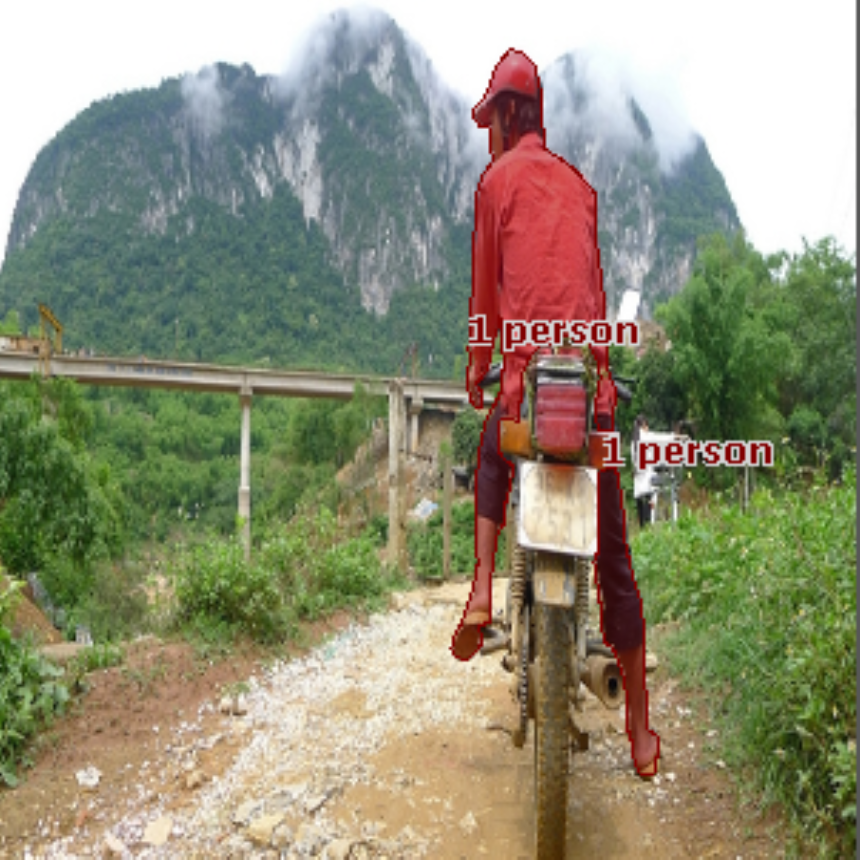 |
Fig. COCOLabelParserDL 동작 수행 결과
2 API
SetSourceImageFolderPath(const wchar_t* pWcsSourceImagePath)pWcsSourceImagePath: Source 이미지 폴더 경로
SetSourceAnnotationPath(const wchar_t* pWcsSourceAnnotationPath)pWcsSourceAnnotationPath: Source 어노테이션 파일 경로
SetDestinationImageFolderPath(const wchar_t* pWcsDestinationImagePath)pWcsDestinationImagePath: Destination 이미지 폴더 경로
EnableSingleFileSaveMode(bool bEnableSingleFileSaveMode = true)bEnableSingleFileSaveMode: 단일 파일 저장 옵션
SetLabelShape(ELabelShape eLabelShape = ELabelShape_Segmentation)eLabelShape: 라벨링 방식
Stop()- 실행 중 정지
IsBeingStopped()- 실행이 중단되고 있는지 여부
IsRunning()- 실행 중임을 확인
IsJsonLoaded()- 실행 중 Json 파일이 처리됨을 확인
GetTotalPageCount()- 처리할 전체 페이지수를 가져옵니다.
GetCurrentPageIndex()- 처리하는 중인 현재 페이지 번호를 가져옵니다.
GetCurrentSavingIndex()- 저장하는 중인 현재 페이지 번호를 가져옵니다.
3 예제 코드:
CResult res;
CCOCOLabelParserDL cocoLabelParserDL;

cocoLabelParserDL.SetSourceImageFolderPath(L"Source");
cocoLabelParserDL.SetSourceAnnotationPath(L"SourceAnnotation.json");
cocoLabelParserDL.SetDestinationImageFolderPath(L"Result");
cocoLabelParserDL.EnableSingleFileSaveMode(true);
cocoLabelParserDL.SetLabelShape(CCOCOLabelParserDL::ELabelShape_Segmentation);

if(IsFail(res = cocoLabelParserDL.Execute()))
    break;